Savable Presets
Quickly creator or update an animator controller that can save presets in-game.
What does it do?
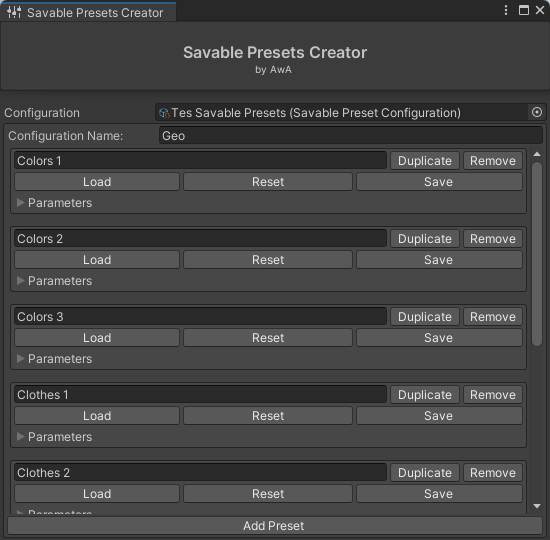
Makes it quick for you to create and update an animator that allows for saving and loading custom presets in-game.
How to use
First set-up
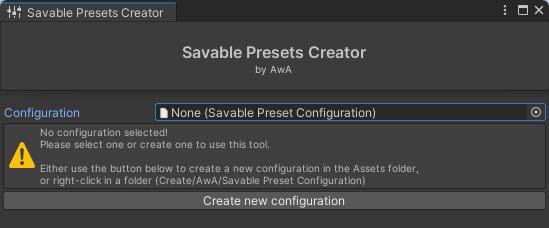
When first using the tool you will need to create a new configuration. There are 2 ways to do this:
- Right-click in a folder
Create/AwA/Savable Preset Configuration - Click the button, this will put it in the
Assetsfolder
Creating a menu
Note
For now you will need to create your own menus for this. In the future there may be a way to also auto generate menus for the given presets.
To make it easier there are 3 buttons under each Savable Preset: Load, Reset, and Save. These will copy the parameter to your clipboard for that given Savable Preset.
Below is an example of how to create a menu:
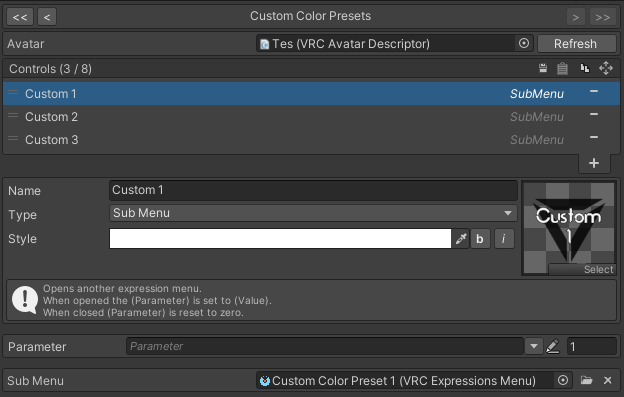
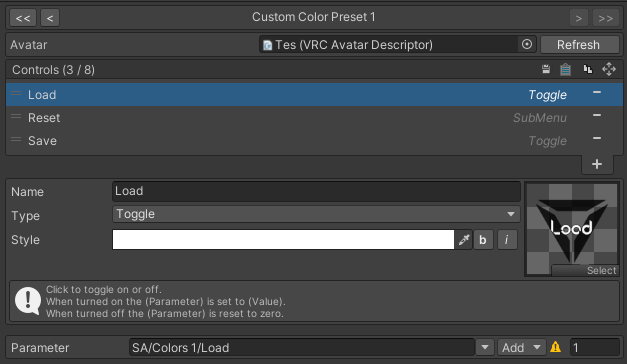
The Reset button is a submenu with a confirm button inside.
Merging the animator
Note
This will use VRCFury, but Modular Avatar has a similar tool.
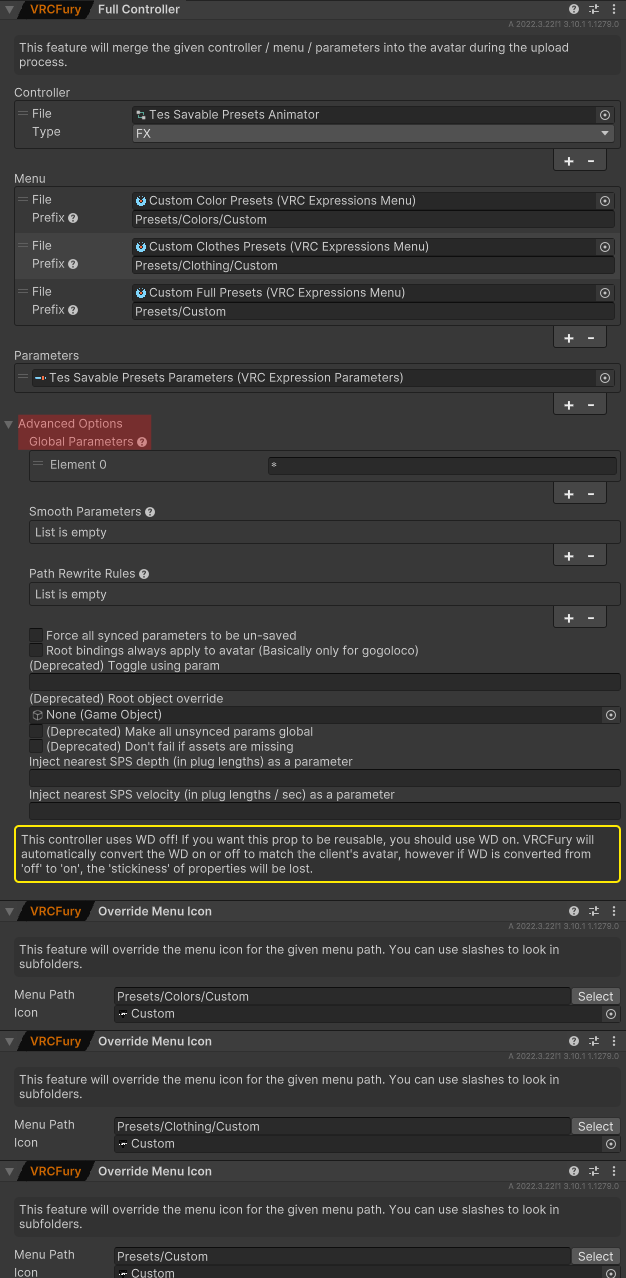
- Create a new Empty GameObject
- Make sure it’s under your root avatar GameObject
- Add a
Full Controllercomponent to that GameObject - Add the generated controller, and set the
TypetoFX - Add all your menus
- Add the generated Parameters Expressions
- In
Advanced Optionsadd a global parameter with the value of* - (Optional) Add custom icon overrides for the menus